Construction site 360° photos on the plan and in the model
Each photo stays on the floor plan in its place, with its date and room. Compare rounds and see the photo and the model from the same viewpoint.
How it works
- Add the floor plansUpload the drawings as PDF, PNG or JPEG. The photos stay in their places when a new drawing comes in.
- Take photos with the appOpen the floor plan in the app, tap where you stand and press the button. The app controls the RICOH THETA or Insta360 camera itself.
- Faces are blurred on the phoneThe app blurs faces before the photo goes. If there is no signal, the photo goes when the signal is back.
- View them in the browserEach spot keeps the photos from every round, and photos from different dates can be compared with each other.
What you can do with the photos
- What went behind the wall?Photograph it with a 360° camera before the suspended ceilings go in. Each photo stays on the plan with its date and room, so a year later you can still see what is behind the wall or above the ceiling.
- What has changed on site?Choose a spot and compare two dates. So you see what happens on site day by day.
- Was it built as designed?In the browser the photo opens over its plan, and the 3D camera stands where the 360° camera stood. Turn the photo and the model turns with it.
- Who fixes the defect?A note is pinned in the photo's direction. It has an assignee and a due date, and the assignee gets an e-mail.
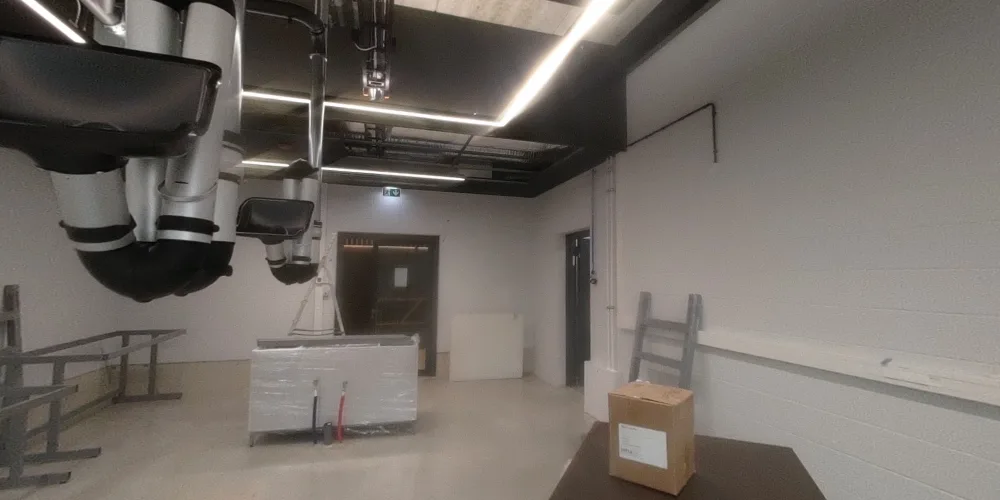
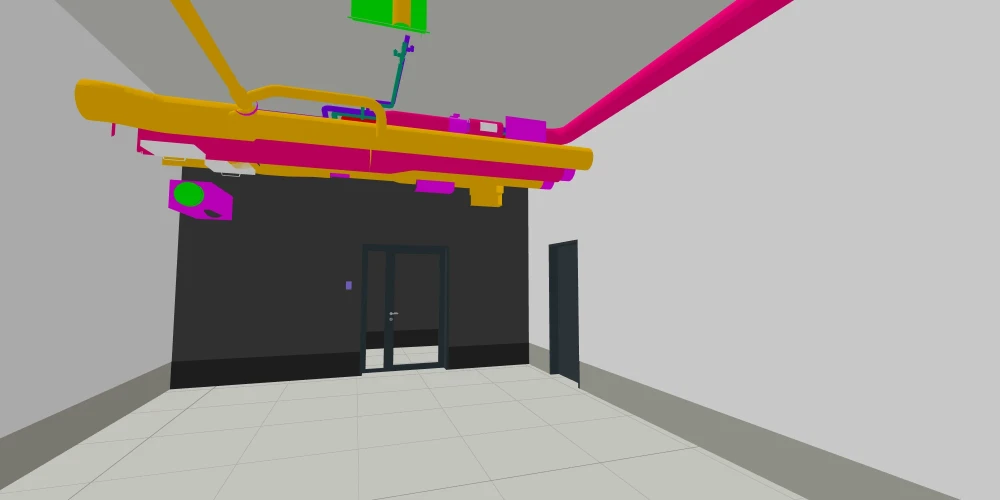 On siteIn the model
Questions and answers
Which camera do I need?
A RICOH THETA or Insta360 360° camera and the tarcus app on an iPhone, iPad or Android phone. The app controls the camera itself.
Can I add 360° photos I already have?
Yes. In the browser you can add photos one at a time, as JPEG or PNG panoramas, and your company's admin imports a whole round.
Does it work without a signal?
The app does: once you have downloaded the plans, the model and the notes to the phone, they are there in the basement too, and photos and notes go when the signal is back. The browser needs a connection.
Do people's faces stay in the photos?
No. The app blurs faces on the phone before the photo goes. In the browser you can also blur a name or anything else that must not be seen.
How do I hand the photos and notes to the client?
The 360° photos export as a ZIP by level and room, with a page of the plans where each spot opens its photos. In the export the photos open as flat pictures, not in 360°. Notes go out as a PDF report or a BCF file.
What does it cost?
tarcus site costs €79-549 a month plus VAT per project, depending on the value of the construction contract. Every feature is included and users are unlimited. You can try it free for 14 days.
Models and drawings in the same place
tarcus site brings every discipline's IFC models, the drawings, 360° photos and notes together in the browser and on the phone.
Try it with your building
We show you tarcus with your project's model and drawings and open a 14‑day trial. Write to us and we will find a time.